Solar Sandbox · Gravity and orbits
Solar Sandbox
Build a system and set it in motion.
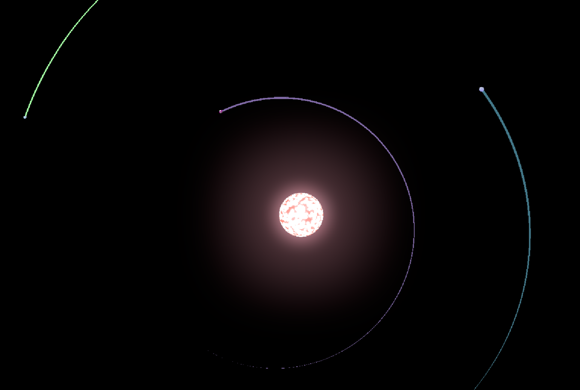
Build a solar system from scratch in Solar Sandbox, or open a preset and see how its planets move. Place a star and a planet, try Auto orbit, and watch what changes when you adjust the speed of time or the mass of a body.
Similar Games
More picks like Solar Sandbox
How to play
Start with the essentials
- Step 1. Click Play. Choose Solar System to start with familiar planets, Sandbox to start with empty space, or Tutorial for guided practice with the controls.
- Step 2. In Sandbox, click Object adding, the planet-and-plus button along the bottom. Choose Sun and click in space to place it. Pick Earth next and place it some distance from the Sun.
- Step 3. Open Search with the magnifying glass and select Earth. In Overview, try Auto orbit and check the Speed fields. This is easiest to follow with just two bodies in the scene.
- Step 4. Move the time slider to the right and follow the planet as it moves. Slow down if the motion is hard to track, and use Search to find the body again if you lose it in the view.
Controls
Take control of Solar Sandbox
Click to choose and place bodies. Right-drag to pan and scroll the mouse wheel to zoom. Use the bottom-left slider to adjust the simulation speed. Click an object or find it through Search to open its properties.
Use the player toolbar to restart or enter fullscreen. If a game does not respond, click or tap inside the player first.
Mission briefing
Build your first orbit in Solar Sandbox
Solar Sandbox is an open-ended gravity simulator. Start with Sandbox if you want to choose where every object goes. Start with Solar System if you would rather explore a setup with the Sun, Earth, and other familiar bodies already in place. The Play menu also offers Proxima Centauri, Trappist-1, and Kepler-90 as starting points.
For a first experiment, place one Sun and one Earth. Space them far enough apart that you can tell them apart on screen. Select Earth and try Auto orbit in its Overview, then give the simulation time to run. Zoom out if the view is too tight to follow the motion.
Once you have watched the pair move, change one thing at a time. Adjust a body's Mass, or try Close orbit or Far orbit on the planet and compare its motion with the previous setup. Use the time slider to make slow changes easier to see, then pull it back when you want time to read the properties.
Find a tiny planet with Search
Click the magnifying glass and type a name in Search bodies. Select the matching card to focus on the body and open its properties, even when it is hard to pick out against the starfield.
Compare properties in Solar Sandbox
Overview shows values such as Mass, Radius, and Speed for Earth. Open Composition or Magnetic field to see the other sets of properties.
Repeat an experiment with Reset
Open the in-game menu in the top-left corner and choose Reset when you want to start the current setup over. Keep the next experiment small so you can see which change affects the motion.
Gameplay gallery
Solar Sandbox gameplay
Game information
Before your next round
- Platform
- Web browser · mouse or touch
- Game view
- Landscape
- Categories
- Space Exploration Games
Games are loaded from an external provider and may display third-party ads. If something is not working, report a problem with Solar Sandbox.
Beyond the game
Keep your curiosity in orbit.
Take a closer look at real worlds, then return for another mission.
A field guide to our eight neighboring worlds.
✦ToolsCompare two worldsSee how size, distance, and years measure up.
✦Quick answers
Solar Sandbox questions and answers
A few things worth knowing before you start another round of Solar Sandbox.
01What should I choose first in Solar Sandbox?
Choose Tutorial if you want a guided introduction to the time slider, object picker, and planet properties. Choose Solar System to observe a ready-made setup, or Sandbox to build one from empty space.
02How do I add a moon in Solar Sandbox?
Click Object adding and select the Moons tab. Choose a moon from the picker, then click where you want it to appear. Use Search to find it by name once it is in the simulation.
03How do I try a different orbit in Solar Sandbox?
Select a planet and open Overview. Try Auto orbit, Close orbit, or Far orbit, then watch how the planet moves relative to the other bodies. With just a star and a planet, it is easier to see what changes.
04Is there a score or a finish line in Solar Sandbox?
You set your own goal. Try keeping one planet circling a star, exploring the bodies in a preset, or comparing two setups with different starting masses.
Ready to play?
Solar Sandbox is waiting at the top of the page. Start another round whenever you like.